 WhySlow
For macOS 15 and later
Find out why your Mac is slow
WhySlow names the cause in plain English: the app eating your CPU, Spotlight indexing after an update, a hot Mac slowing itself down, or a browser with 80 tabs. Then it shows the fix.
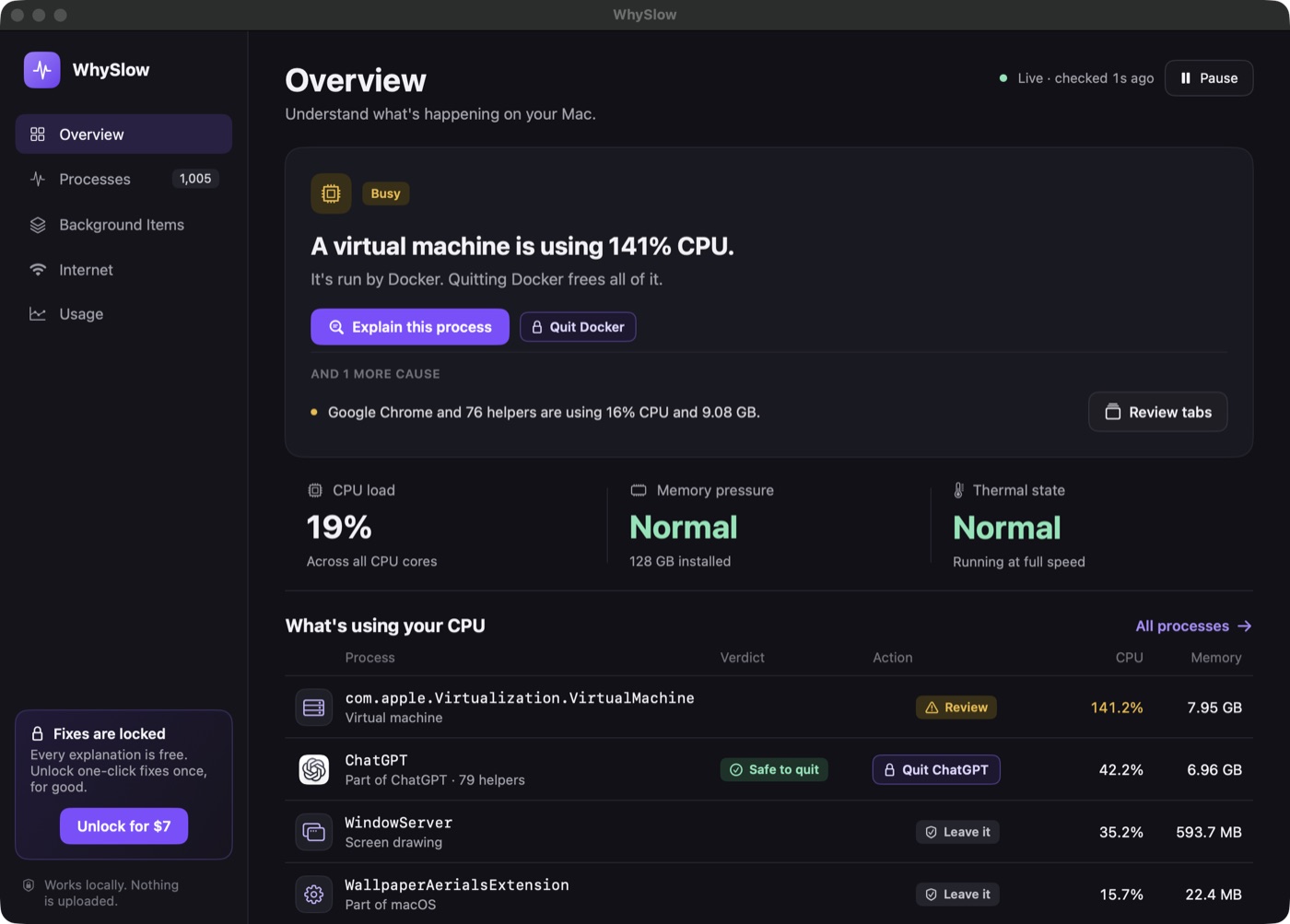
“What is kernel_task?” “Why is WindowServer using so much CPU?” “What is mds_stores?” WhySlow answers the questions you were about to search.
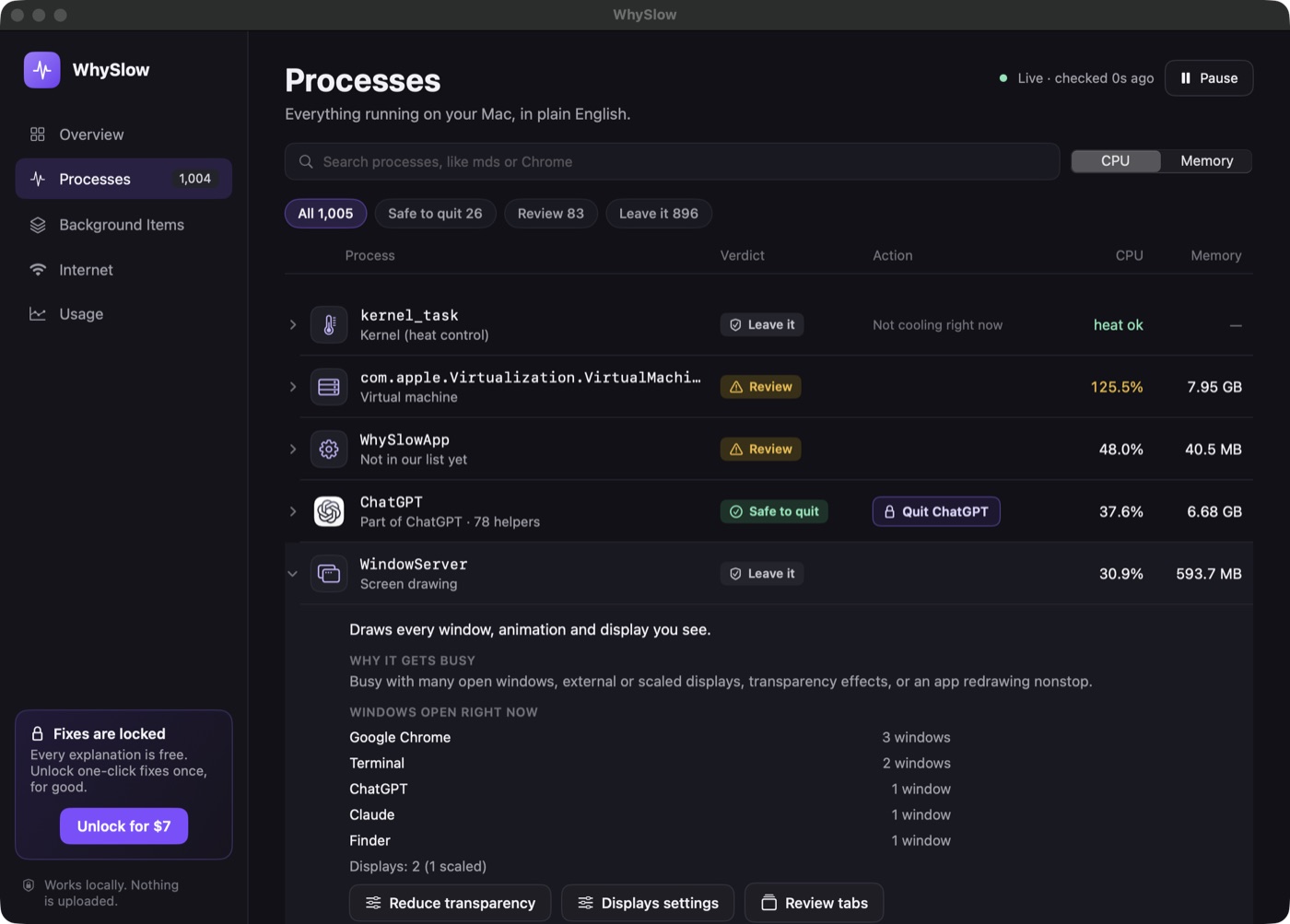
Every process, explained
kernel_task, WindowServer, mds_stores and 80+ more, in plain English, with a clear verdict: Safe to quit, Review, or Leave it.
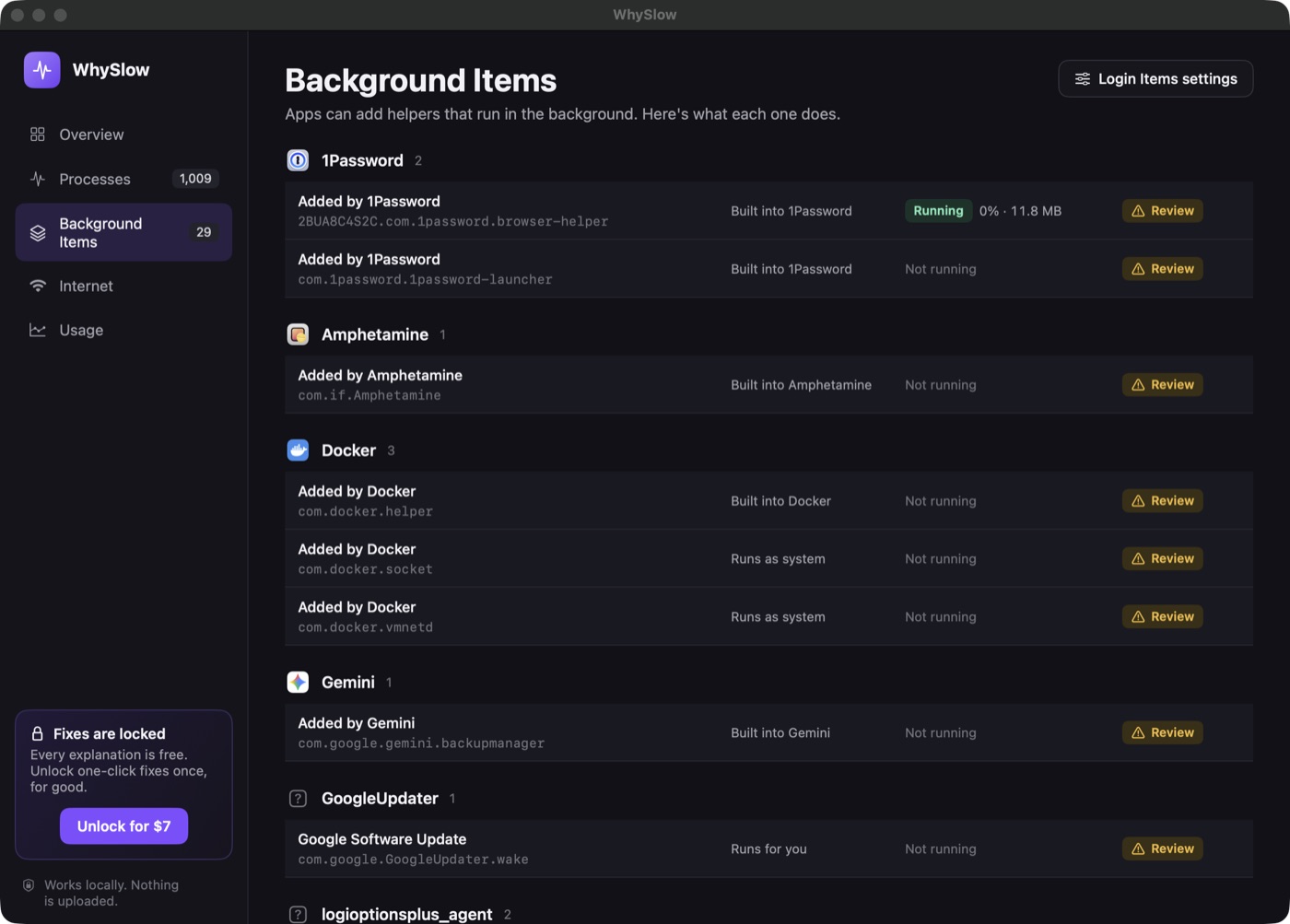
Background Items, demystified
See what each "Background Items Added" helper is, which app added it, and whether it is running.
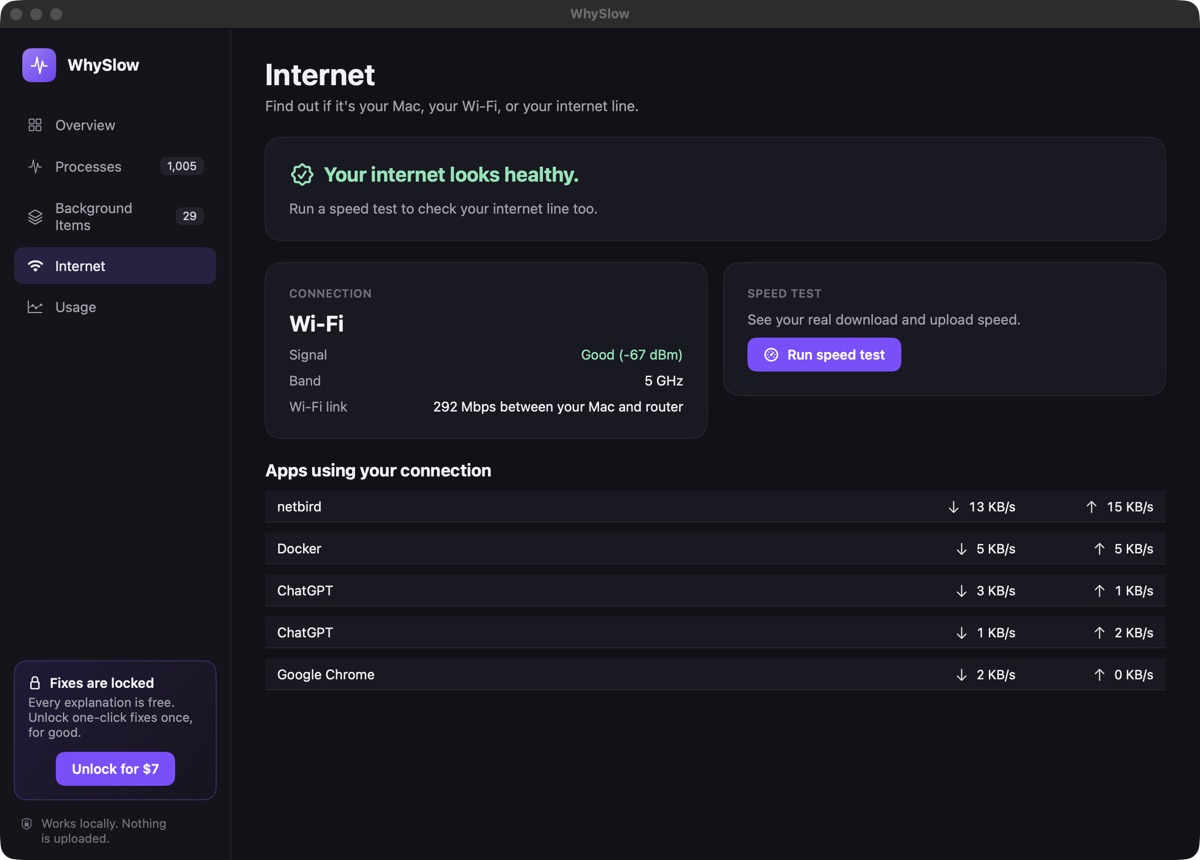
Is it the Mac or the internet?
Wi-Fi signal, apps using your connection, and Apple’s built-in speed test, with a plain verdict.
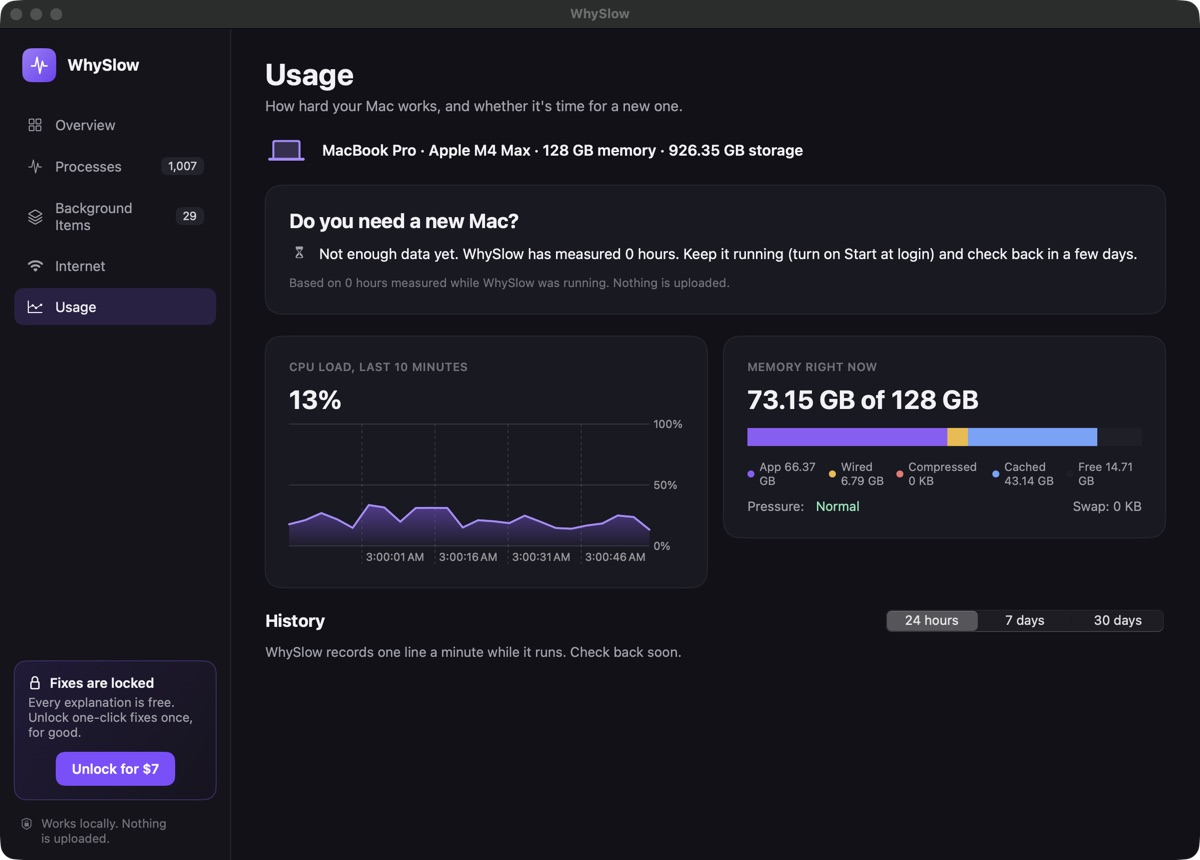
Do you need a new Mac?
WhySlow tracks CPU and memory over days and tells you whether memory, the chip or storage is holding you back.
Asks before every action
Quitting, closing tabs, rebuilding Spotlight: you always see what will happen first.
Never touches macOS
System processes are explained, never quit. Incognito windows are never touched.
Nothing leaves your Mac
No account, no tracking, no uploads. Notarized by Apple.
Simple pricing
Free
$0
- Live diagnosis
- Every process explained
- Background Items
- Internet and speed test
- Usage history and upgrade advice
One-click fixes
$7 once
- Quit an app and all its helpers
- Close duplicate tabs and merge windows
- Rebuild a stuck Spotlight index
- Up to 3 of your Macs
- No subscription
Questions
Is WhySlow free?
Diagnosis and every explanation are free forever. One-click fixes (quit an app and its helpers, close duplicate browser tabs, rebuild the Spotlight index) are a one-time $7.
Does WhySlow upload anything?
No. It reads what is running on your Mac and keeps everything on your Mac. The only network calls are license activation, update checks, and the speed test when you start it.
Can WhySlow break my Mac?
WhySlow refuses to quit system processes like WindowServer or kernel_task, asks before every action, and never deletes files.
Which Macs does it run on?
Any Mac with macOS 15 or later, Apple silicon or Intel.
Will it slow my Mac down?
No. Running in the menu bar it uses about 0.1% of one CPU core and roughly 40 MB of memory.